Configure
Define cables, cores, connectors, shielding and other assembly details using clear, structured input fields.
Features
Create professional cable drawings quickly and clearly – without having to draw every core and connection manually. Configure cable structures, connectors, shielding and assembly details using intuitive input fields. Click2CableDraw turns your configuration into a technical cable drawing.
Cable and core setup
Create tailored cable configurations, from individual cores to multi-core cables. Set the number of cores, assign colours, define cross-sections and specify the cable sheath. Click2CableDraw uses these inputs as the basis for the technical cable drawing.
Instead of drawing each core individually, define the cable structure through clear input fields. This creates a consistent, traceable basis for the technical cable drawing.
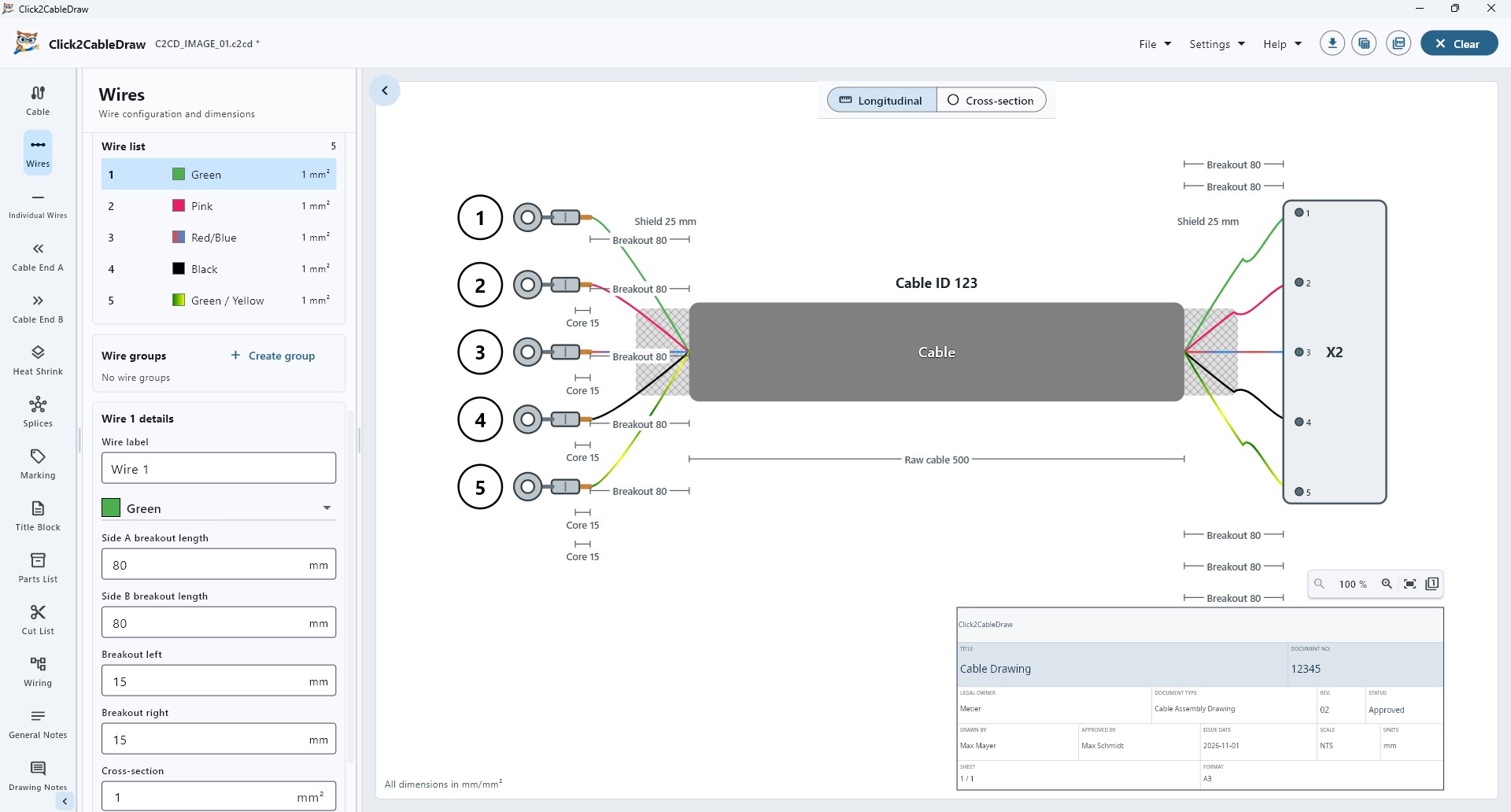
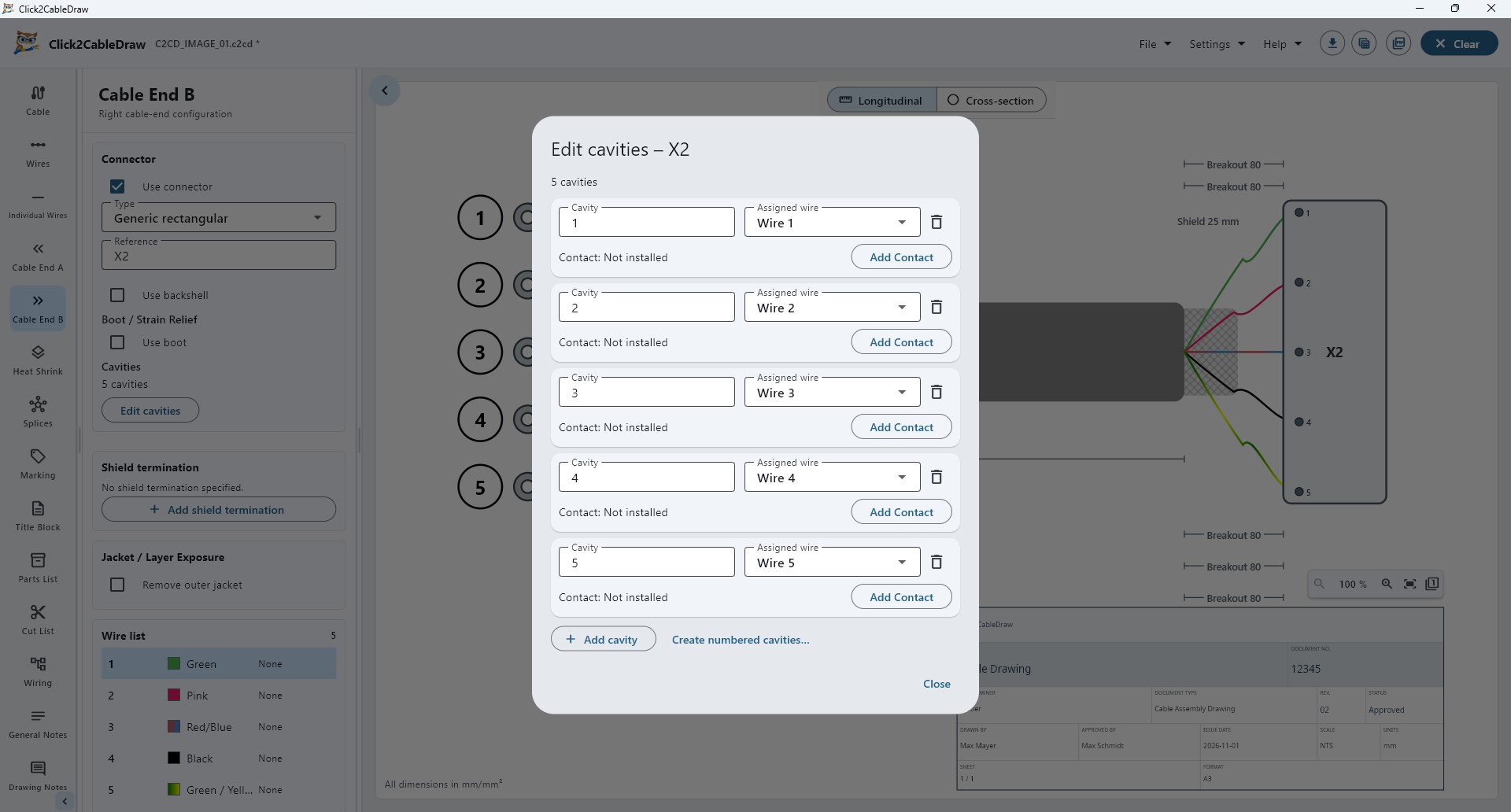
Connections and ends
Configure the connections at both cable ends. Choose suitable single-core or multi-core connectors, then assign cores to the contacts or pins they connect to. This lets you represent different connector configurations at the two ends of a cable.
Configure even complex connection layouts clearly. Core-to-contact assignments become part of the technical cable drawing, so they do not need to be drawn manually.
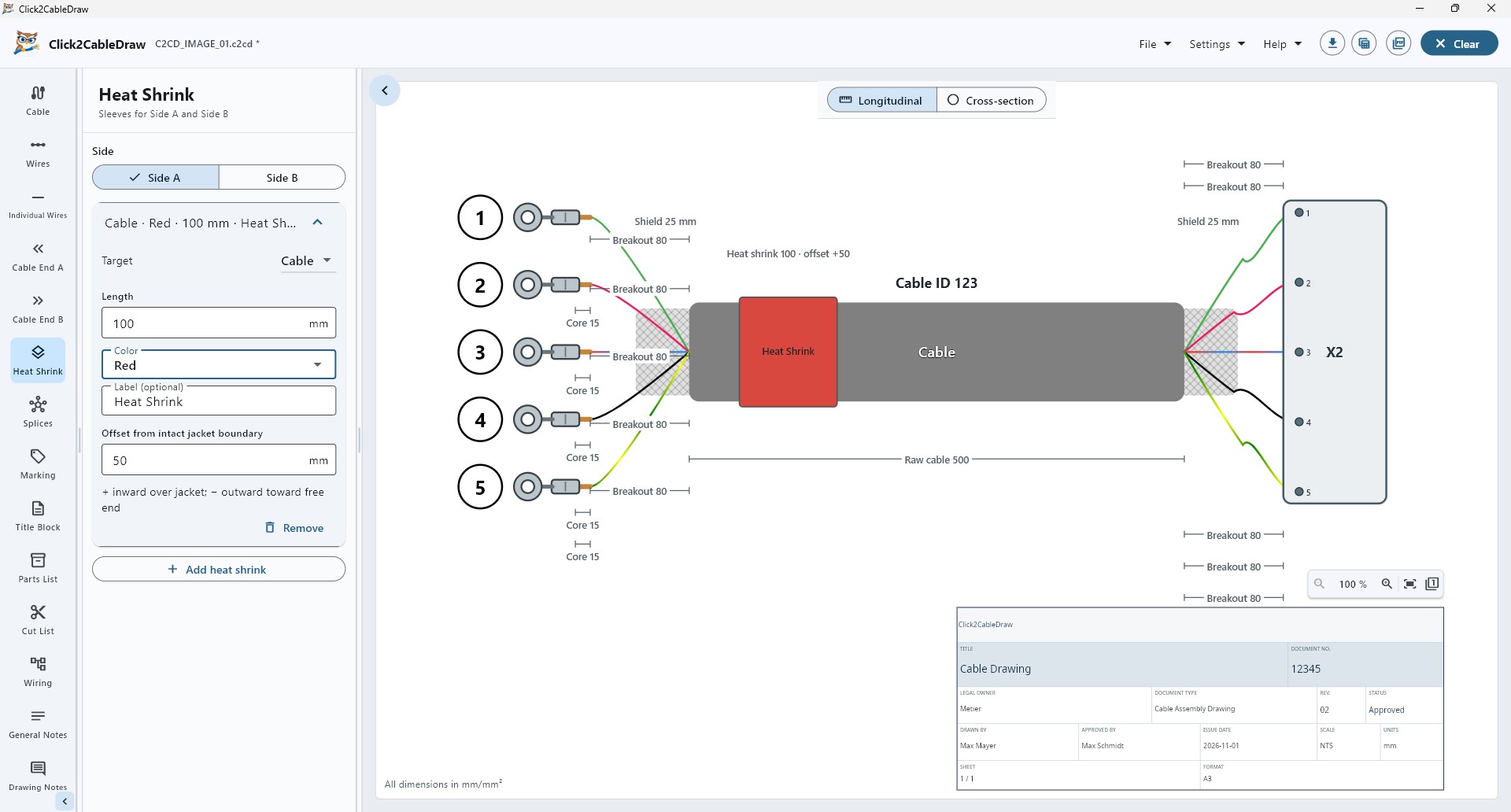
Shielding and heat-shrink tubing
Include shielding and heat-shrink tubing directly in your cable drawing configuration. Define shielding for the cable and individual cores, and specify the required assembly details for both cable ends.
Shielding and heat-shrink tubing are included directly in the cable configuration. This lets you document important assembly details in the technical drawing.
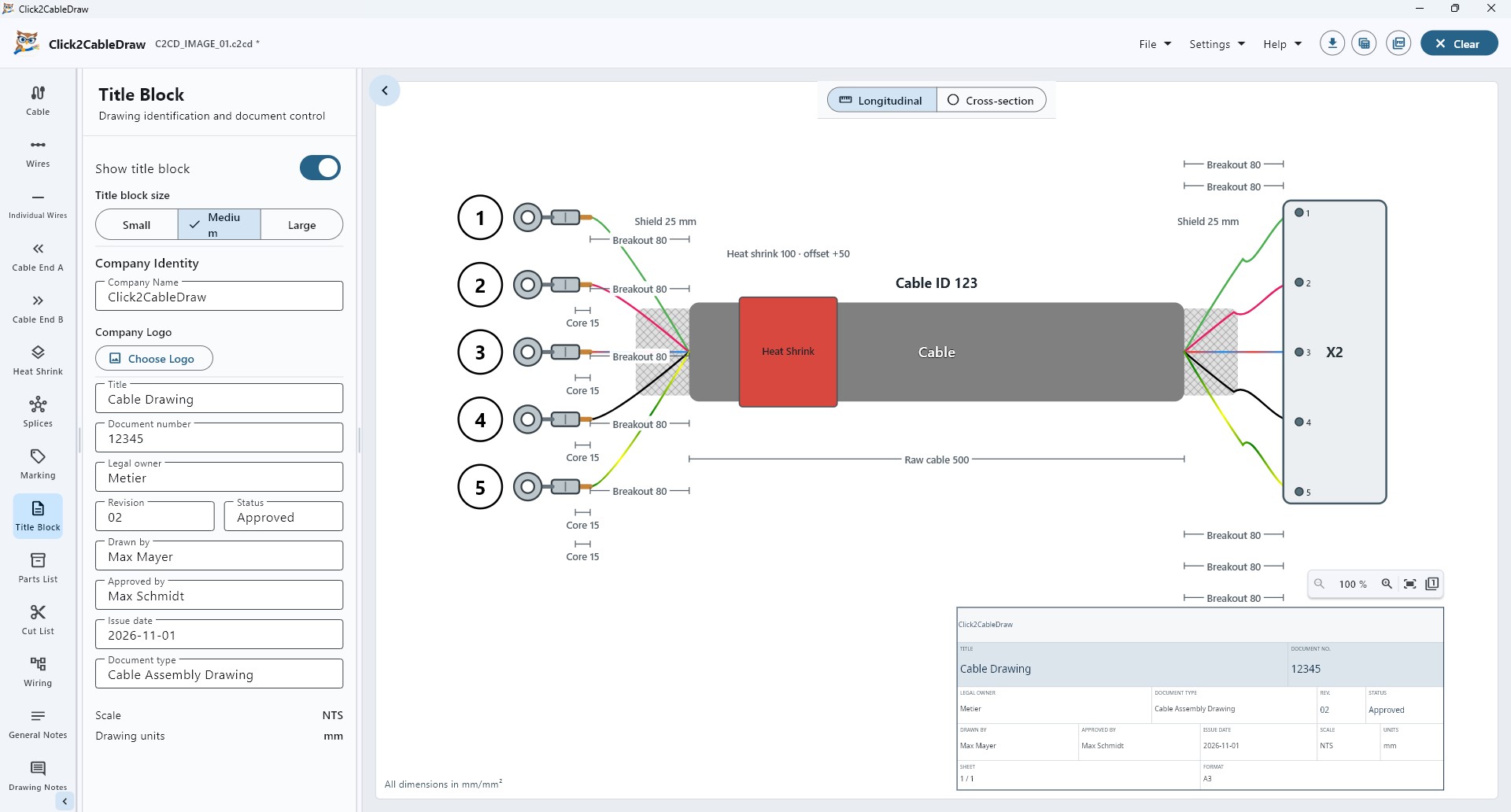
Technical drawing
Create a technical cable drawing from your configuration. Click2CableDraw presents the configured cable, core and connection data in a clear drawing. Add the required length dimensions and a custom drawing title block.
The technical drawing is generated from your inputs. When the cable configuration changes, regenerate the drawing to apply the updates without rebuilding it from scratch.
Component information and output
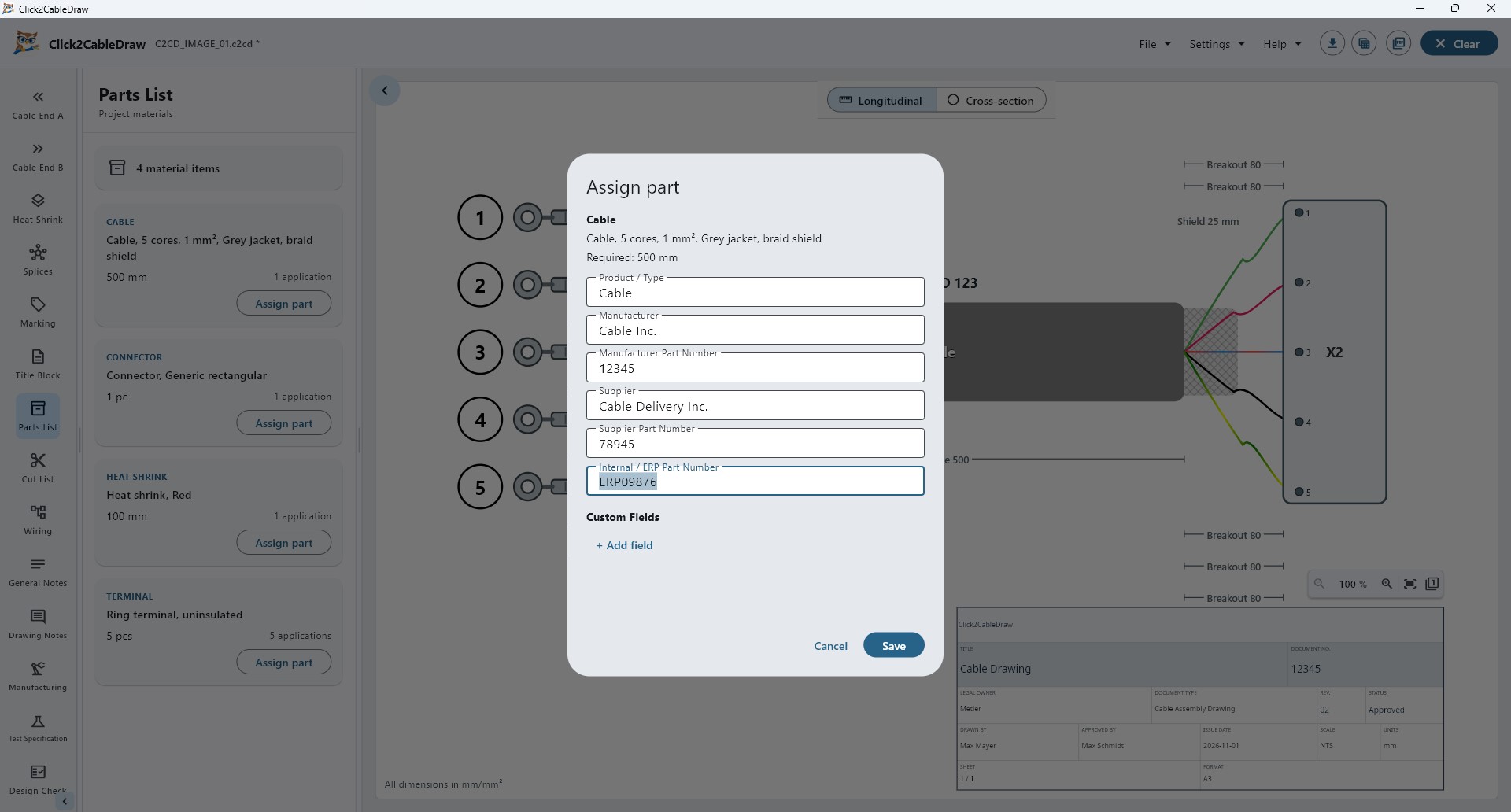
Add important component and purchasing information to your cable drawing. Enter relevant data for cables and connectors, manage the associated bill of materials, and export the finished drawing for further use.
The drawing, component information and bill of materials provide a shared basis for your technical documentation. Keep the information for your cable configuration clearly organised.
Project handling
Save your cable configuration as a project file and pick up where you left off. Reopen existing projects to revise them and use them as a starting point for further drawings.
Your cable configurations remain available for future work. Continue developing existing projects without re-entering all the data.
HOW IT WORKS
From cable configuration to the finished technical drawing – simple, clear and easy to update at any time.
Define cables, cores, connectors, shielding and other assembly details using clear, structured input fields.
Click2CableDraw generates a technical cable drawing from your inputs. You can update it whenever your configuration changes.
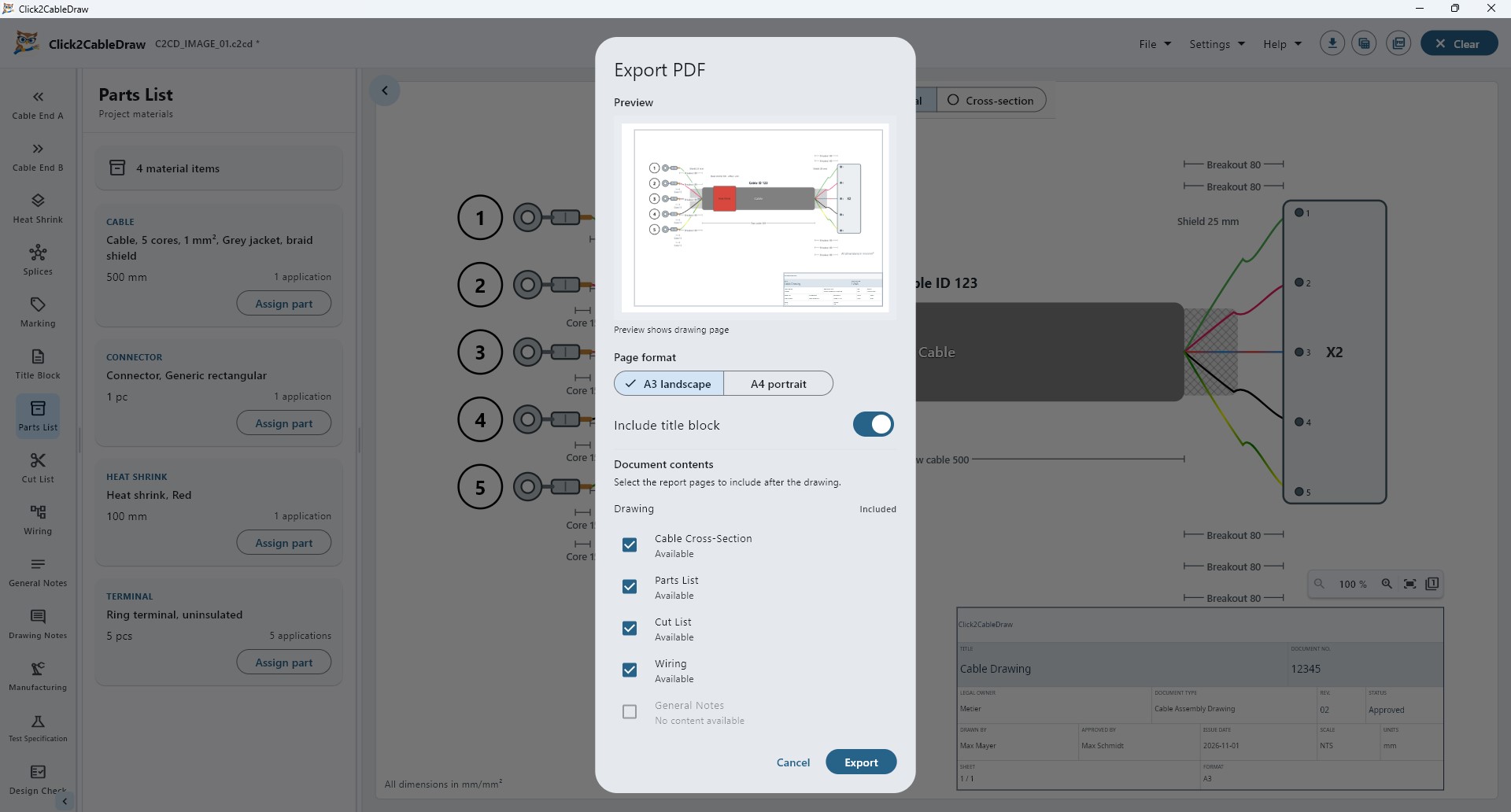
Save your configuration as a project file, export your drawing as a PDF and use the parts list for your documentation.
Explore the demo or review the full-version purchase option.
métier Click2CableDraw 1.01